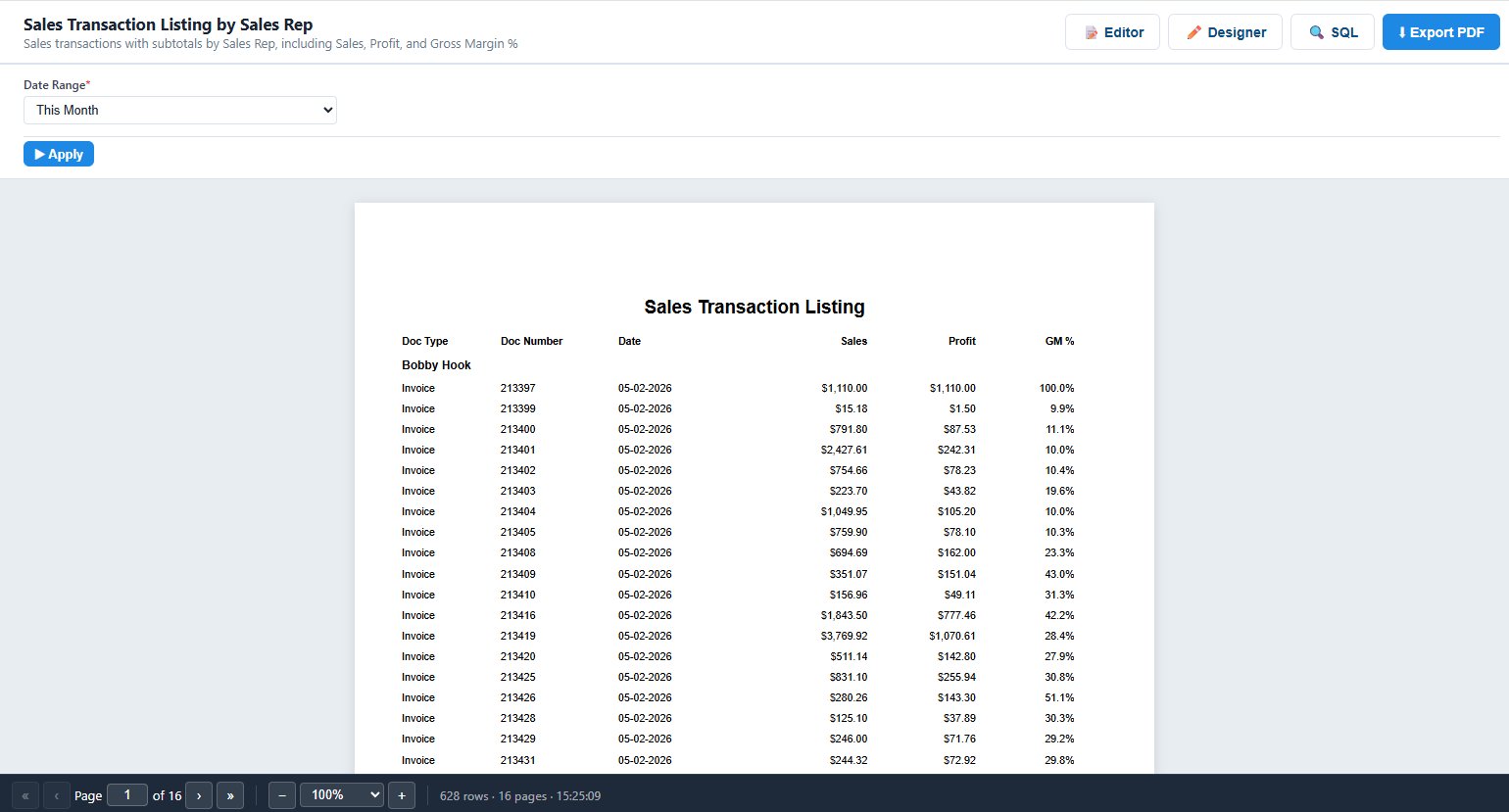
From blank page to scheduled delivery, in seven steps.
Follow a real example — a Sales Transaction Listing with sub-totals by sales rep — from creation to PDF.
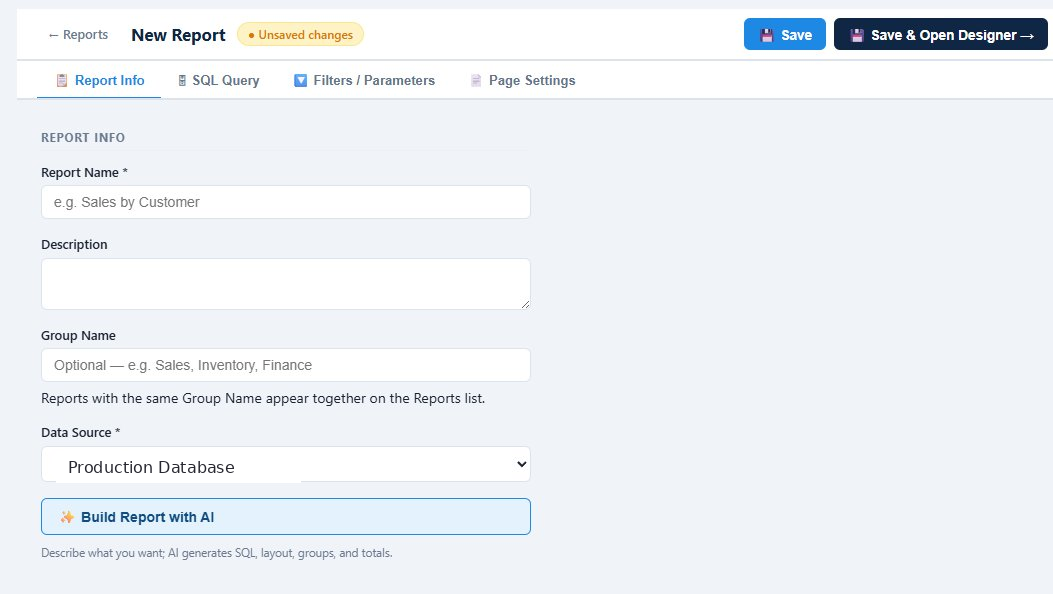
Create a new report.
Name your report, give it a description, and pick a data source. Group related reports together using Group Name so they appear side-by-side on the Reports list.
Each tab handles one part of the build — Report Info, SQL Query, Filters & Parameters, and Page Settings — or skip ahead and let AI handle everything.
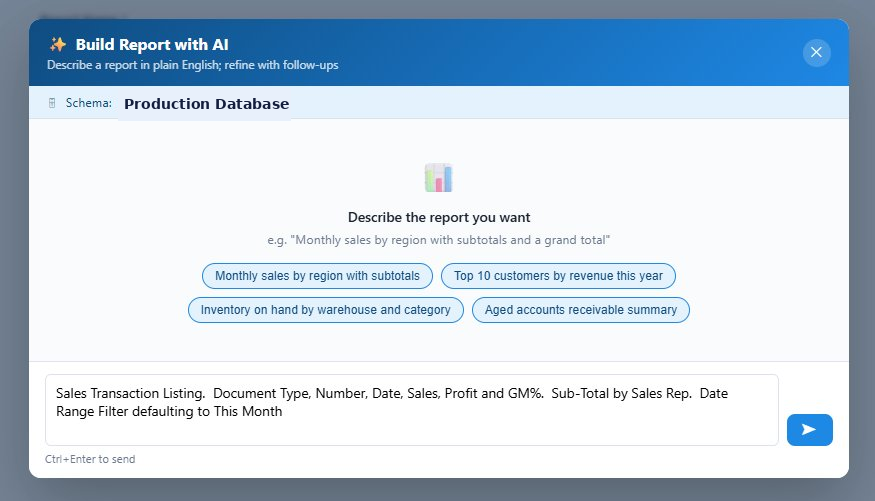
Build Report with AI.
Skip the tabs entirely. Describe what you want — "Sales Transaction Listing. Document Type, Number, Date, Sales, Profit and GM%. Sub-Total by Sales Rep. Date Range Filter defaulting to This Month" — and AI generates the SQL, layout, groupings, and filters in one shot.
Refine with follow-ups: ask for additional columns, different groupings, or new filters. The AI uses your database schema and business rules so the SQL is accurate from the start.
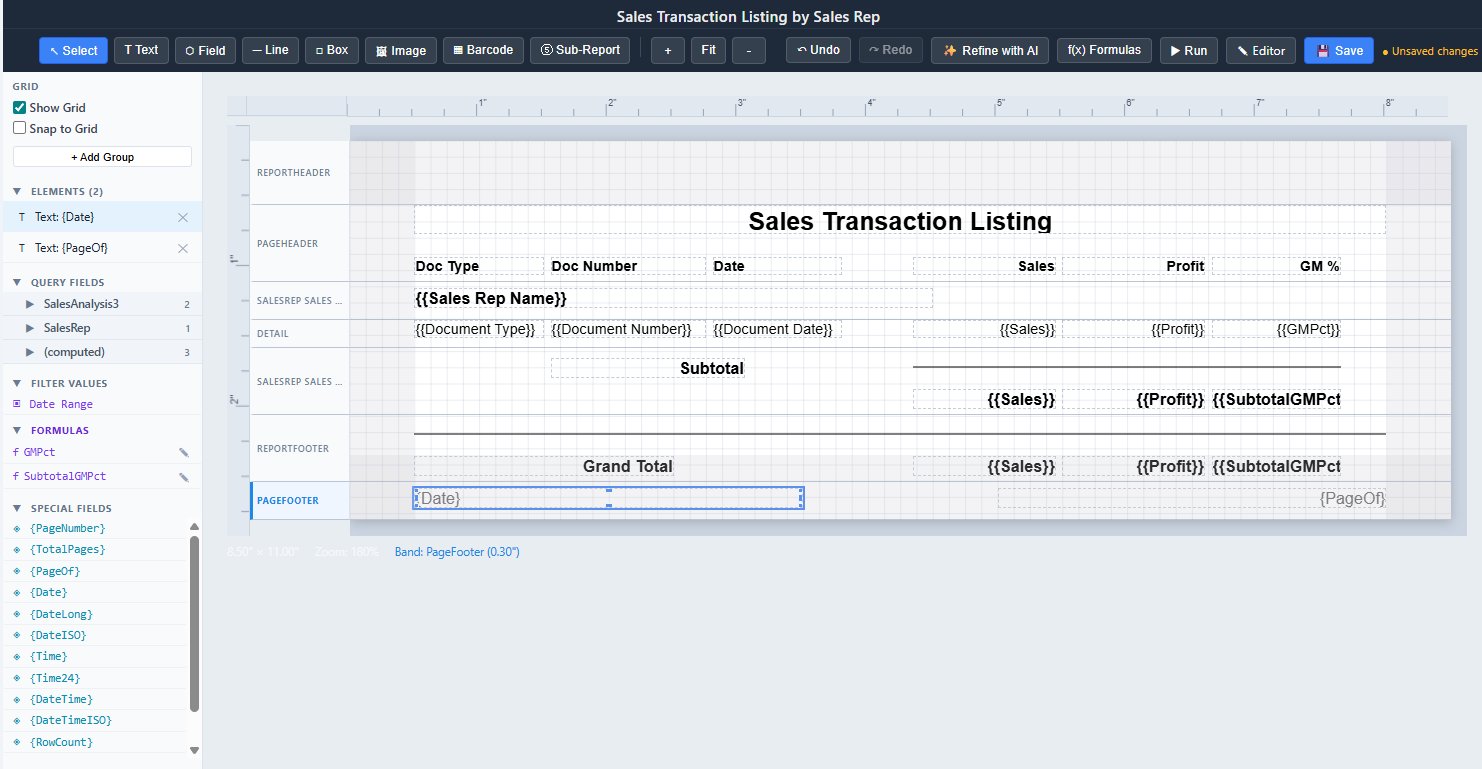
A familiar section-based layout.
If you've worked in Crystal Reports, you'll recognize the structure immediately — Report Header, Page Header, Group Headers, Detail rows, Group Footers, Report Footer, and Page Footer all stack vertically with bands you can resize.
Drag in Text, Field, Line, Box, Image, Barcode, or Sub-Report elements from the toolbar. Use Formulas for computed fields like {{GMPct}}, and bind Filter Values like Date Range right inside the canvas.
Context menus for everything.
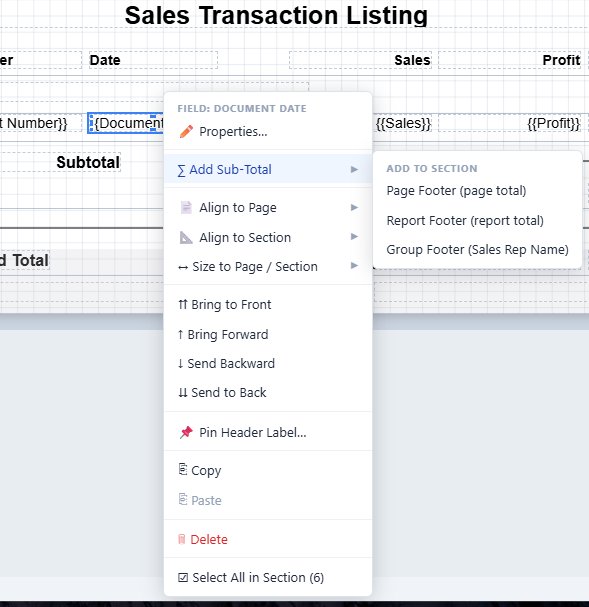
Right-click any field for instant access to Properties, alignment, sizing, and ordering. The most powerful option is Add Sub-Total — pick a target section (Page Footer, Report Footer, or Group Footer) and Reporter generates the totals automatically.
Pin header labels, copy and paste elements, send to back, and select all-in-section without ever leaving the canvas.
Drop in a sub-report.
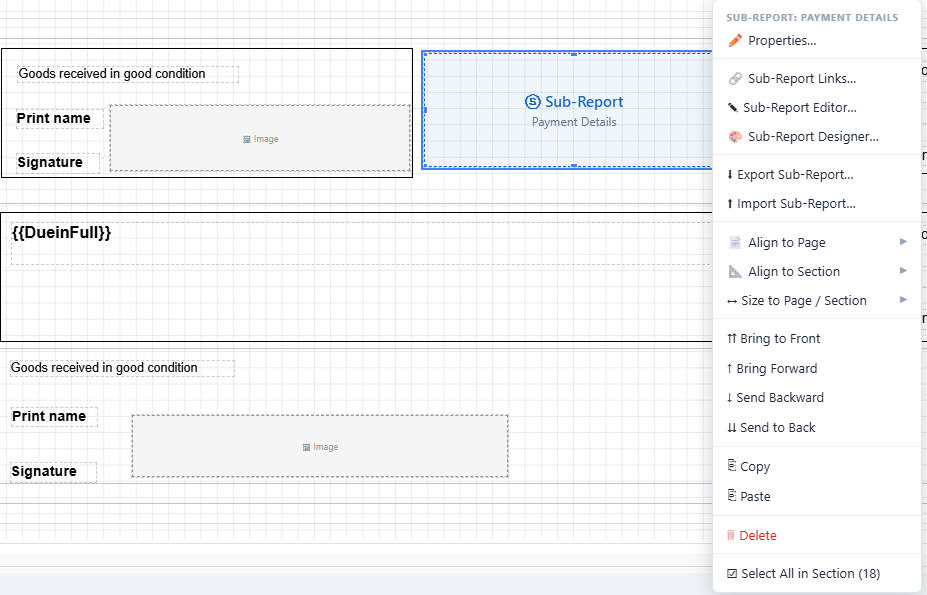
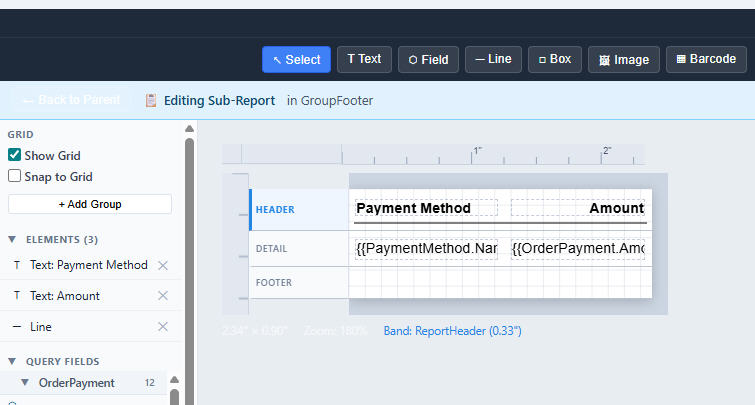
Sub-reports let you embed a linked report inside another, sharing the same data connection but running their own SQL query. Pass any field from the parent report into the sub-report as a filter parameter — for example, send {{OrderID}} from a Sales Order document into a sub-report that pulls payment details for that order.
Group footers, page footers, or the report body — sub-reports drop into any section. They run automatically as part of the parent's render and appear inline in the PDF.
Right-click the sub-report to open Sub-Report Links, the Editor, or the full Designer — then edit it just like the parent, with its own toolbar, sections, and elements panel. Hit Back to Parent when you're done.
A real formula editor.
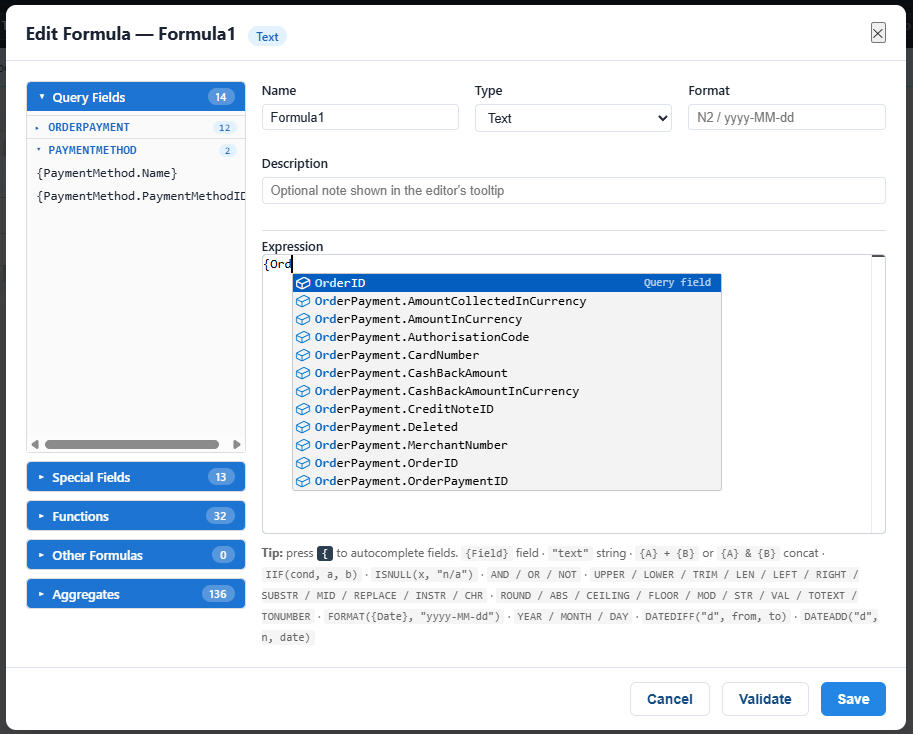
Reporter ships with a full-featured formula editor — not just a calculated-field box. Predictive typing suggests fields, functions, and operators as you write. Live validation flags syntax issues before you save. Build anything from a simple {{Sales}} - {{Cost}} margin to multi-line conditional logic with grouping, math, string functions, and date arithmetic.
Save formulas to the report's Formulas list and reference them anywhere on the canvas — header totals, detail lines, group footers, sub-totals — without rewriting the math.
Live filters, instant PDFs.
Run the report and the filters surface at the top — change Date Range and click Apply to re-run against live data without leaving the page. Page through results, jump back to the Designer or SQL view, or hit Export PDF to download.
A 628-row, 16-page report renders in seconds, with full pagination, group breaks, and computed totals all preserved in the PDF.